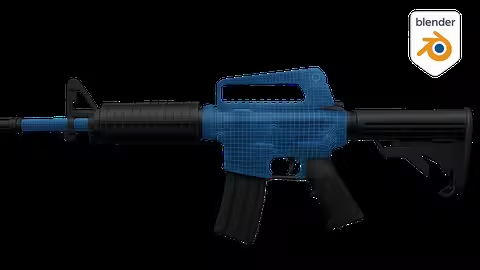
Udemy - Blender - Expert In Hard Surface Modeling

dkmdkm

U P L O A D E R
1e554caf363c9cce9423b6a3362838b5.avif

Free Download Udemy - Blender - Expert In Hard Surface Modeling
Published 5/2025
MP4 | Video: h264, 1920x1080 | Audio: AAC, 44.1 KHz
Language: English | Size: 12.30 GB | Duration: 11h 22m
Learn Hard Surface modeling from scratch, applying professional techniques and avoiding the most common mistakes.

What you'll learn
We'll start with a brief intro so you can grasp the basic concepts.
We'll model, texture, and add particle effects for pro-level renders.
You'll learn professional modeling techniques.
Discover key tools and how to avoid common design mistakes.
Requirements
No prior experience with Blender 3D is required.
A mid-range PC, Mac, or Linux is recommended for better performance.
Blender 3D is free and easy to install - make sure it's set up.
Description
In this course, we will learn from scratch all the necessary tools so you can create your own Hard Surface models using Blender 3D as your sole and main tool. You will be able to master the workflow with ease and face any Hard Surface challenge at a professional level.We will study and fully configure the interface from scratch.You will learn how to navigate the workspace.We will study potential mistakes and advanced techniques used in the industry.We will carry out the complete modeling of two objects, including all their details, using the most commonly used tools.We will dive into advanced tools, learning how and why they are used.We will create a model with water special effects, simulating condensation around the object, using textures, adjusting a surface, and implementing a lighting system.The course will gradually increase in level, allowing you to clearly assimilate all the main concepts. Everything will be explained in detail-why it happens and what it's for.We will carry out Hard Surface modeling exercises. You will have access to all course materials and files, as well as support in the Q&A forum, which will help you with any doubts.The course brings together all the knowledge and mastery of the tools necessary to complete a Hard Surface model from start to finish using techniques employed in the professional industry.Once you finish the course, you will be able to create your own designs and face any challenge that arises, as you will have a solid foundation that will allow you to do it effortlessly. It's important to practice as much as possible to become fully aware of the workflow.
Overview
Section 1: Basic Concepts for Hard Surface Modeling
Lecture 1 Introduction to the section.
Lecture 2 Modeling Categories and Styles
Lecture 3 Modifier: Subdivision Surface
Lecture 4 Control loops, support edges, and face filling
Lecture 5 Loop Tools Addon, Merge Tool, and Hole Closing
Lecture 6 Surface holes and redirecting loops
Lecture 7 Boolean Modifier - Side hole in a cylinder
Lecture 8 Snap Face Projection - Perfect miters
Lecture 9 Shrinkwrap Modifier - Miters and other shapes
Lecture 10 Array Modifier and Empties
Lecture 11 Bevel Modifier
Lecture 12 Section Practice: Chess Tower
Section 2: Practice - Coca-Cola Can
Lecture 13 Introduction to the section
Lecture 14 Setting up references and modeling the top part
Lecture 15 Grooves and top details
Lecture 16 Modeling the top edge and main body
Lecture 17 Modeling the tab and rivet
Lecture 18 Materials, UVs, and applying textures
Lecture 19 Particles - Water drop effect
Lecture 20 Removing top Ngon and bottom triangles
Section 3: Assault Rifle Modeling
Lecture 21 Introduction to the section
Lecture 22 Studying the model to be created
Lecture 23 Project start, placing reference images
Lecture 24 Barrel Modeling - Part 1
Lecture 25 Barrel Modeling - Part 2
Lecture 26 Modeling Top and Bottom Grip - Array and Mirror Modifiers
Lecture 27 Top Sight Modeling - Part 1
Lecture 28 Top Sight Modeling - Part 2
Lecture 29 Bottom Sight Modeling - Using Grid Fill for Square Shapes
Lecture 30 Modeling Grip Without Holes
Lecture 31 Modeling Decorative Bottom Grip - CHALLENGE: Loop Redirection
Lecture 32 CHALLENGE Solution
Lecture 33 Post-Barrel Piece Modeling 2 - Part 1
Lecture 34 Post-Barrel Piece Modeling 2 - Part 2
Lecture 35 Top Decorative Modeling
Lecture 36 Stock Modeling - Part 1
Lecture 37 Stock Modeling - Part 2
Lecture 38 Lower Stock Modeling
Lecture 39 Lower Sight Modeling
Lecture 40 Lower Sight Circular Ornament (Engraved)
Lecture 41 Top Sight Modeling - Bevel Modifier (Engraved)
Lecture 42 Rear Piece in Sight Modeling (Engraved)
Lecture 43 Top Sight Details (Engraved)
Lecture 44 Lower Stock Detail
Lecture 45 Cylindrical Piece with Boolean Cut - Lower Stock
Lecture 46 Bullet Magazine - Part 1
Lecture 47 Bullet Magazine - Part 2
Lecture 48 Bullet Slots in Magazine
Lecture 49 Cleaning the Piece and Redirecting Loops
Lecture 50 Intermediate Decoration
Lecture 51 Grip Modeling
Lecture 52 Trigger Modeling
Lecture 53 Side Rivets
Lecture 54 Linked Meshes
Lecture 55 Assigning Materials
Lecture 56 Lighting and Final Renders
For anyone who wants to master Hard Surface modeling in Blender.,For those who want to learn how to texture their Blender models.,For anyone looking to learn new modeling techniques and improve their skills.

Homepage
Code:
Bitte Anmelden oder Registrieren um Code Inhalt zu sehen!


Recommend Download Link Hight Speed | Please Say Thanks Keep Topic Live
Code:
Bitte Anmelden oder Registrieren um Code Inhalt zu sehen!

No Password - Links are Interchangeable
 
Kommentar

a0f1c78870f11a9fe9a265f911d99d06.jpg

Blender - Expert In Hard Surface Modeling
Published 5/2025
MP4 | Video: h264, 1920x1080 | Audio: AAC, 44.1 KHz
Language: English | Size: 12.30 GB | Duration: 11h 22m​

Learn Hard Surface modeling from scratch, applying professional techniques and avoiding the most common mistakes.

What you'll learn

We'll start with a brief intro so you can grasp the basic concepts.

We'll model, texture, and add particle effects for pro-level renders.

You'll learn professional modeling techniques.

Discover key tools and how to avoid common design mistakes.

Requirements

No prior experience with Blender 3D is required.

A mid-range PC, Mac, or Linux is recommended for better performance.

Blender 3D is free and easy to install - make sure it's set up.

Description

In this course, we will learn from scratch all the necessary tools so you can create your own Hard Surface models using Blender 3D as your sole and main tool. You will be able to master the workflow with ease and face any Hard Surface challenge at a professional level.We will study and fully configure the interface from scratch.You will learn how to navigate the workspace.We will study potential mistakes and advanced techniques used in the industry.We will carry out the complete modeling of two objects, including all their details, using the most commonly used tools.We will dive into advanced tools, learning how and why they are used.We will create a model with water special effects, simulating condensation around the object, using textures, adjusting a surface, and implementing a lighting system.The course will gradually increase in level, allowing you to clearly assimilate all the main concepts. Everything will be explained in detail-why it happens and what it's for.We will carry out Hard Surface modeling exercises. You will have access to all course materials and files, as well as support in the Q&A forum, which will help you with any doubts.The course brings together all the knowledge and mastery of the tools necessary to complete a Hard Surface model from start to finish using techniques employed in the professional industry.Once you finish the course, you will be able to create your own designs and face any challenge that arises, as you will have a solid foundation that will allow you to do it effortlessly. It's important to practice as much as possible to become fully aware of the workflow.

Overview

Section 1: Basic Concepts for Hard Surface Modeling

Lecture 1 Introduction to the section.

Lecture 2 Modeling Categories and Styles

Lecture 3 Modifier: Subdivision Surface

Lecture 4 Control loops, support edges, and face filling

Lecture 5 Loop Tools Addon, Merge Tool, and Hole Closing

Lecture 6 Surface holes and redirecting loops

Lecture 7 Boolean Modifier - Side hole in a cylinder

Lecture 8 Snap Face Projection - Perfect miters

Lecture 9 Shrinkwrap Modifier - Miters and other shapes

Lecture 10 Array Modifier and Empties

Lecture 11 Bevel Modifier

Lecture 12 Section Practice: Chess Tower

Section 2: Practice - Coca-Cola Can

Lecture 13 Introduction to the section

Lecture 14 Setting up references and modeling the top part

Lecture 15 Grooves and top details

Lecture 16 Modeling the top edge and main body

Lecture 17 Modeling the tab and rivet

Lecture 18 Materials, UVs, and applying textures

Lecture 19 Particles - Water drop effect

Lecture 20 Removing top Ngon and bottom triangles

Section 3: Assault Rifle Modeling

Lecture 21 Introduction to the section

Lecture 22 Studying the model to be created

Lecture 23 Project start, placing reference images

Lecture 24 Barrel Modeling - Part 1

Lecture 25 Barrel Modeling - Part 2

Lecture 26 Modeling Top and Bottom Grip - Array and Mirror Modifiers

Lecture 27 Top Sight Modeling - Part 1

Lecture 28 Top Sight Modeling - Part 2

Lecture 29 Bottom Sight Modeling - Using Grid Fill for Square Shapes

Lecture 30 Modeling Grip Without Holes

Lecture 31 Modeling Decorative Bottom Grip - CHALLENGE: Loop Redirection

Lecture 32 CHALLENGE Solution

Lecture 33 Post-Barrel Piece Modeling 2 - Part 1

Lecture 34 Post-Barrel Piece Modeling 2 - Part 2

Lecture 35 Top Decorative Modeling

Lecture 36 Stock Modeling - Part 1

Lecture 37 Stock Modeling - Part 2

Lecture 38 Lower Stock Modeling

Lecture 39 Lower Sight Modeling

Lecture 40 Lower Sight Circular Ornament (Engraved)

Lecture 41 Top Sight Modeling - Bevel Modifier (Engraved)

Lecture 42 Rear Piece in Sight Modeling (Engraved)

Lecture 43 Top Sight Details (Engraved)

Lecture 44 Lower Stock Detail

Lecture 45 Cylindrical Piece with Boolean Cut - Lower Stock

Lecture 46 Bullet Magazine - Part 1

Lecture 47 Bullet Magazine - Part 2

Lecture 48 Bullet Slots in Magazine

Lecture 49 Cleaning the Piece and Redirecting Loops

Lecture 50 Intermediate Decoration

Lecture 51 Grip Modeling

Lecture 52 Trigger Modeling

Lecture 53 Side Rivets

Lecture 54 Linked Meshes

Lecture 55 Assigning Materials

Lecture 56 Lighting and Final Renders

For anyone who wants to master Hard Surface modeling in Blender.,For those who want to learn how to texture their Blender models.,For anyone looking to learn new modeling techniques and improve their skills.

bB2s0Yef_o.jpg


RapidGator
Code:
Bitte Anmelden oder Registrieren um Code Inhalt zu sehen!
NitroFlare
Code:
Bitte Anmelden oder Registrieren um Code Inhalt zu sehen!
DDownload
Code:
Bitte Anmelden oder Registrieren um Code Inhalt zu sehen!
 
Kommentar

4480a6fc3cbd0359f0f9913a7b5d6f1f.jpg

Hard-Surface Modeling In Blender
Published 5/2025
MP4 | Video: h264, 1920x1080 | Audio: AAC, 44.1 KHz
Language: English | Size: 26.77 GB | Duration: 17h 37m​

Hard Surface Modeling a Luger P08 pistol in Blender

What you'll learn

Building a 3D model from scratch

Creating models based on drawings and references

Basic modeling tools in Blender

Working with basic modifiers

Model blocking

Hard Surface retopology of any complexity

Requirements

It is enough to know the basics of the program

Several weeks of work in Blender

Description

Hard Surface Modeling a Luger P08 in Blender - Step-by-Step CourseThis course is dedicated to creating a realistic hard surface model of a handgun using Blender - one of the most powerful and accessible 3D tools available. Designed for beginners and intermediate users alike, the course focuses on mastering essential hard surface techniques through a practical, hands-on project.You will learn how to approach technical modeling with confidence by working directly from real-world references and blueprints. From blocking out the initial shapes to adding fine mechanical details, every step is explained clearly and logically.Throughout the course, you will:Learn how to find, import, and align technical drawings and blueprints for accurate modeling;Understand the fundamentals of shape blocking and proportion building;Use powerful Blender modifiers like Subdivision Surface, Boolean, Shrinkwrap and Mirror to create clean, non-destructive geometry;Gain insight into proper topology practices for hard surface modeling with the help of n-gons;Learn techniques for maintaining edge sharpness and controlling surface flow.Each lesson is focused on a specific part of the handgun, making the workflow easy to follow and apply to other mechanical models. By the end of the course, you'll have a complete, high-quality 3D model suitable for your portfolio or further texturing and animation.If you're looking to strengthen your hard surface modeling skills and build a solid foundation in Blender, this course is the perfect starting point.

Overview

Section 1: Blocking

Lecture 1 Setting up references

Lecture 2 Let's start blocking

Lecture 3 Blocking with Boolean modifier

Lecture 4 Blocking lower part of the handle

Lecture 5 Additional cutouts on the side

Lecture 6 Spin tool and top elements

Lecture 7 Cutout on the top cylinder and small details

Lecture 8 Side and top elements

Lecture 9 Multiple cutouts on top parts

Lecture 10 Working with the handle and Shrinkwrap modifier

Lecture 11 Small elements around the perimeter

Lecture 12 Additional cutouts and magazine base

Lecture 13 Front sight and trigger

Lecture 14 Minor improvements and elements

Lecture 15 Inner cutout of the top part and bolts

Lecture 16 Modeling the bullet and cutting out the barrel

Lecture 17 Magazine modeling

Lecture 18 Upper part of the magazine and trigger spring

Section 2: Retopology

Lecture 19 Preparing for retopology and first steps

Lecture 20 Retopology of the rear part of the pistol

Lecture 21 Lower part of the handle and trigger

Lecture 22 The interior of the magazine and minor improvements

Lecture 23 Front and rear parts modifications

Lecture 24 Working out cylindrical cutouts

Lecture 25 Retopology of small elements in the rear part of the pistol

Lecture 26 Connections of the rear element to the pistol grip and alignment

Lecture 27 Re-creating the cutouts on the right side of the gun

Lecture 28 Retopology of the trigger area and newly created cutouts

Lecture 29 Alignment with Loop Tools addon and Shrinkwrap modifier

Lecture 30 Retopology of the cutout for the screw

Lecture 31 Retopology of the pistol barrel and front sight

Lecture 32 Start of retopology of the larger upper part

Lecture 33 We continue retopology of the larger upper part

Lecture 34 Aligning the top and connecting the cylinders to the base at the back

Lecture 35 Additional cutouts and alignments at the back

Lecture 36 Small cutout and its retopology

Lecture 37 Retopology of a large detail on the left side of the gun

Lecture 38 Creating many small details

Lecture 39 Retopology of the pistol handle

Lecture 40 Refinement of the pistol handle and small cutouts

Lecture 41 Refinement before retopology of the upper element in the rear part of the pistol

Lecture 42 Retopology of the upper complex part (part 1)

Lecture 43 Retopology of the upper complex part (part 2)

Lecture 44 Retopology of the upper middle part

Lecture 45 Retopology of the upper front part

Lecture 46 Reworking a couple of small details and creating two additional cutouts

Lecture 47 Retopology of the bolt and the bottom of the magazine

Lecture 48 Magazine retopology

Lecture 49 Trigger retopology (part 1)

Lecture 50 Trigger retopology (part 2)

Lecture 51 Final touches, improvements and completion of the pistol retopology

For those who want to create models of any complexity,Hard Surface artists,Anyone who wants to improve their level of modeling

bMdETVOP_o.jpg


RapidGator
Code:
Bitte Anmelden oder Registrieren um Code Inhalt zu sehen!
NitroFlare
Code:
Bitte Anmelden oder Registrieren um Code Inhalt zu sehen!
 
Kommentar

In der Börse ist nur das Erstellen von Download-Angeboten erlaubt! Ignorierst du das, wird dein Beitrag ohne Vorwarnung gelöscht. Ein Eintrag ist offline? Dann nutze bitte den Link  Offline melden . Möchtest du stattdessen etwas zu einem Download schreiben, dann nutze den Link  Kommentieren . Beide Links findest du immer unter jedem Eintrag/Download.

Data-Load.me | Data-Load.ing | Data-Load.to | Data-Load.in

Auf Data-Load.me findest du Links zu kostenlosen Downloads für Filme, Serien, Dokumentationen, Anime, Animation & Zeichentrick, Audio / Musik, Software und Dokumente / Ebooks / Zeitschriften. Wir sind deine Boerse für kostenlose Downloads!

Ist Data-Load legal?

Data-Load ist nicht illegal. Es werden keine zum Download angebotene Inhalte auf den Servern von Data-Load gespeichert.
Oben Unten