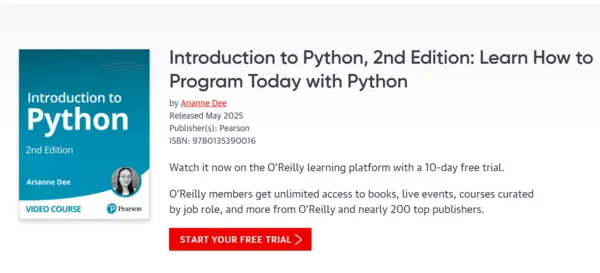
Introduction to Python, 2nd Edition - Learn How to Program Today with Python

dkmdkm

U P L O A D E R
f7fbce965084852d58250e36e0ad17db.webp

Free Download Introduction to Python, 2nd Edition - Learn How to Program Today with Python
Released 5/2025
By Arianne Dee
MP4 | Video: h264, 1280x720 | Audio: AAC, 44.1 KHz, 2 Ch
Genre: eLearning | Language: English | Duration: 9h 36m | Size: 2.2 GB

Table of contents
Introduction
Introduction to Python: Introduction
Lesson 1: Introduction to Programming and Python
Learning objectives
1.1 Install Python
1.2 Choose a code editor
1.3 Run Python code
1.4 Write an area calculator
1.5 More context: Understand what programming is
Lesson 2: Python and Programming Basics
Learning objectives
2.1 Learn about types
2.2 Work with variables
2.3 Debug errors
2.4 Manipulate strings
2.5 Write a Mad Libs program
2.6 Use modules
2.7 Write your own functions
2.8 Write a timer game
2.9 More context: Learn about Python
Lesson 3: Control Flow with Conditionals
Learning objectives
3.1 More context: Useful skills for programmers
3.2 Identify true and false statements
3.3 Use conditional "if" statements
3.4 Write a number-guessing game
Lesson 4: Lists and Loops
Learning objectives
4.1 Use a "while" loop
4.2 Improve the number-guessing game with "while" loops
4.3 Create and manipulate lists
4.4 Loop over sequences with "for" loops
4.5 Write a quiz game
4.6 More context: Refactor your code
Lesson 5: Additional Language Topics
Learning objectives
5.1 More context: Discuss how to keep learning
5.2 Look at more data structures
5.3 Read files
5.4 Write more complex functions
5.5 Program with classes
5.6 Import external packages
5.7 Add type-hints
Lesson 6: Introduction to Data Analysis in Python
Learning objectives
6.1 Look at the ecosystem
6.2 Start a Jupyter notebook
6.3 Import a dataset
6.4 Clean some data
6.5 Plot the data
6.6 Find some statistics
Lesson 7: Introduction to Web Development in Python
Learning objectives
7.1 Look at the anatomy of a web app
7.2 Start a web app with Flask
7.3 Create a static page
7.4 Get content from the back-end
7.5 Make the page dynamic
7.6 Hook up a database
7.7 Get more context: databases and deployment
Summary
Introduction to Python: Summary


Recommend Download Link Hight Speed | Please Say Thanks Keep Topic Live
Code:
Bitte Anmelden oder Registrieren um Code Inhalt zu sehen!

No Password - Links are Interchangeable
 
Kommentar

83d008d28709194052ac7b6ccbef0901.jpg

Introduction to Python, 2nd Edition: Learn How to Program Today with Python
Released 5/2025
MP4 | Video: h264, 1280x720 | Audio: AAC, 44.1 KHz, 2 Ch
Genre: eLearning | Language: English | Duration: 9h 36m | Size: 2.18 GB​

Table of contents
Introduction
Introduction to Python: Introduction
Lesson 1: Introduction to Programming and Python
Learning objectives
1.1 Install Python
1.2 Choose a code editor
1.3 Run Python code
1.4 Write an area calculator
1.5 More context: Understand what programming is
Lesson 2: Python and Programming Basics
Learning objectives
2.1 Learn about types
2.2 Work with variables
2.3 Debug errors
2.4 Manipulate strings
2.5 Write a Mad Libs program
2.6 Use modules
2.7 Write your own functions
2.8 Write a timer game
2.9 More context: Learn about Python
Lesson 3: Control Flow with Conditionals
Learning objectives
3.1 More context: Useful skills for programmers
3.2 Identify true and false statements
3.3 Use conditional "if" statements
3.4 Write a number-guessing game
Lesson 4: Lists and Loops
Learning objectives
4.1 Use a "while" loop
4.2 Improve the number-guessing game with "while" loops
4.3 Create and manipulate lists
4.4 Loop over sequences with "for" loops
4.5 Write a quiz game
4.6 More context: Refactor your code
Lesson 5: Additional Language Topics
Learning objectives
5.1 More context: Discuss how to keep learning
5.2 Look at more data structures
5.3 Read files
5.4 Write more complex functions
5.5 Program with classes
5.6 Import external packages
5.7 Add type-hints
Lesson 6: Introduction to Data Analysis in Python
Learning objectives
6.1 Look at the ecosystem
6.2 Start a Jupyter notebook
6.3 Import a dataset
6.4 Clean some data
6.5 Plot the data
6.6 Find some statistics
Lesson 7: Introduction to Web Development in Python
Learning objectives
7.1 Look at the anatomy of a web app
7.2 Start a web app with Flask
7.3 Create a static page
7.4 Get content from the back-end
7.5 Make the page dynamic
7.6 Hook up a database
7.7 Get more context: databases and deployment
Summary
Introduction to Python: Summary

nqTAxT0r_o.jpg


RapidGator
Code:
Bitte Anmelden oder Registrieren um Code Inhalt zu sehen!
Code:
Bitte Anmelden oder Registrieren um Code Inhalt zu sehen!
NitroFlare
Code:
Bitte Anmelden oder Registrieren um Code Inhalt zu sehen!
Code:
Bitte Anmelden oder Registrieren um Code Inhalt zu sehen!
DDownload
Code:
Bitte Anmelden oder Registrieren um Code Inhalt zu sehen!
Code:
Bitte Anmelden oder Registrieren um Code Inhalt zu sehen!
 
Kommentar

83d008d28709194052ac7b6ccbef0901.jpg

Introduction to Python, 2nd Edition: Learn How to Program Today with Python
Released 5/2025
MP4 | Video: h264, 1280x720 | Audio: AAC, 44.1 KHz, 2 Ch
Genre: eLearning | Language: English | Duration: 9h 36m | Size: 2.18 GB​

Table of contents
Introduction
Introduction to Python: Introduction
Lesson 1: Introduction to Programming and Python
Learning objectives
1.1 Install Python
1.2 Choose a code editor
1.3 Run Python code
1.4 Write an area calculator
1.5 More context: Understand what programming is
Lesson 2: Python and Programming Basics
Learning objectives
2.1 Learn about types
2.2 Work with variables
2.3 Debug errors
2.4 Manipulate strings
2.5 Write a Mad Libs program
2.6 Use modules
2.7 Write your own functions
2.8 Write a timer game
2.9 More context: Learn about Python
Lesson 3: Control Flow with Conditionals
Learning objectives
3.1 More context: Useful skills for programmers
3.2 Identify true and false statements
3.3 Use conditional "if" statements
3.4 Write a number-guessing game
Lesson 4: Lists and Loops
Learning objectives
4.1 Use a "while" loop
4.2 Improve the number-guessing game with "while" loops
4.3 Create and manipulate lists
4.4 Loop over sequences with "for" loops
4.5 Write a quiz game
4.6 More context: Refactor your code
Lesson 5: Additional Language Topics
Learning objectives
5.1 More context: Discuss how to keep learning
5.2 Look at more data structures
5.3 Read files
5.4 Write more complex functions
5.5 Program with classes
5.6 Import external packages
5.7 Add type-hints
Lesson 6: Introduction to Data Analysis in Python
Learning objectives
6.1 Look at the ecosystem
6.2 Start a Jupyter notebook
6.3 Import a dataset
6.4 Clean some data
6.5 Plot the data
6.6 Find some statistics
Lesson 7: Introduction to Web Development in Python
Learning objectives
7.1 Look at the anatomy of a web app
7.2 Start a web app with Flask
7.3 Create a static page
7.4 Get content from the back-end
7.5 Make the page dynamic
7.6 Hook up a database
7.7 Get more context: databases and deployment
Summary
Introduction to Python: Summary

nqTAxT0r_o.jpg


RapidGator
Code:
Bitte Anmelden oder Registrieren um Code Inhalt zu sehen!
Code:
Bitte Anmelden oder Registrieren um Code Inhalt zu sehen!
NitroFlare
Code:
Bitte Anmelden oder Registrieren um Code Inhalt zu sehen!
Code:
Bitte Anmelden oder Registrieren um Code Inhalt zu sehen!
DDownload
Code:
Bitte Anmelden oder Registrieren um Code Inhalt zu sehen!
Code:
Bitte Anmelden oder Registrieren um Code Inhalt zu sehen!
 
Kommentar

1d5d16dd36aff6d058838bec20139339.jpg

Introduction to Python, 2nd Edition: Learn How to Program Today with Python
Released 5/2025
MP4 | Video: h264, 1280x720 | Audio: AAC, 44.1 KHz, 2 Ch
Genre: eLearning | Language: English | Duration: 9h 36m | Size: 2.18 GB​

Table of contents
Introduction
Introduction to Python: Introduction
Lesson 1: Introduction to Programming and Python
Learning objectives
1.1 Install Python
1.2 Choose a code editor
1.3 Run Python code
1.4 Write an area calculator
1.5 More context: Understand what programming is
Lesson 2: Python and Programming Basics
Learning objectives
2.1 Learn about types
2.2 Work with variables
2.3 Debug errors
2.4 Manipulate strings
2.5 Write a Mad Libs program
2.6 Use modules
2.7 Write your own functions
2.8 Write a timer game
2.9 More context: Learn about Python
Lesson 3: Control Flow with Conditionals
Learning objectives
3.1 More context: Useful skills for programmers
3.2 Identify true and false statements
3.3 Use conditional "if" statements
3.4 Write a number-guessing game
Lesson 4: Lists and Loops
Learning objectives
4.1 Use a "while" loop
4.2 Improve the number-guessing game with "while" loops
4.3 Create and manipulate lists
4.4 Loop over sequences with "for" loops
4.5 Write a quiz game
4.6 More context: Refactor your code
Lesson 5: Additional Language Topics
Learning objectives
5.1 More context: Discuss how to keep learning
5.2 Look at more data structures
5.3 Read files
5.4 Write more complex functions
5.5 Program with classes
5.6 Import external packages
5.7 Add type-hints
Lesson 6: Introduction to Data Analysis in Python
Learning objectives
6.1 Look at the ecosystem
6.2 Start a Jupyter notebook
6.3 Import a dataset
6.4 Clean some data
6.5 Plot the data
6.6 Find some statistics
Lesson 7: Introduction to Web Development in Python
Learning objectives
7.1 Look at the anatomy of a web app
7.2 Start a web app with Flask
7.3 Create a static page
7.4 Get content from the back-end
7.5 Make the page dynamic
7.6 Hook up a database
7.7 Get more context: databases and deployment
Summary
Introduction to Python: Summary

1Rd7mZvX_o.jpg


RapidGator
Code:
Bitte Anmelden oder Registrieren um Code Inhalt zu sehen!
NitroFlare
Code:
Bitte Anmelden oder Registrieren um Code Inhalt zu sehen!
 
Kommentar

539499712_359020115_tuto.jpg

2.19 GB | 21min 6s | mp4 | 1280X720 | 16:9
Genre:eLearning |Language:English


Files Included :
FileName :001 Introduction to Python Introduction.mp4 | Size: (21.24 MB)
FileName :001 Learning objectives.mp4 | Size: (8.73 MB)
FileName :002 1 1 Install Python.mp4 | Size: (34.24 MB)
FileName :003 1 2 Choose a code editor.mp4 | Size: (45.72 MB)
FileName :004 1 3 Run Python code.mp4 | Size: (36.95 MB)
FileName :005 1 4 Write an area calculator.mp4 | Size: (34.93 MB)
FileName :006 1 5 More context Understand what programming is.mp4 | Size: (51.47 MB)
FileName :001 Learning objectives.mp4 | Size: (7.15 MB)
FileName :002 2 1 Learn about types.mp4 | Size: (20.09 MB)
FileName :003 2 2 Work with variables.mp4 | Size: (47.76 MB)
FileName :004 2 3 Debug errors.mp4 | Size: (58.85 MB)
FileName :005 2 4 Manipulate strings.mp4 | Size: (43.8 MB)
FileName :006 2 5 Write a Mad Libs program.mp4 | Size: (27.74 MB)
FileName :007 2 6 Use modules.mp4 | Size: (69.86 MB)
FileName :008 2 7 Write your own functions.mp4 | Size: (68.13 MB)
FileName :009 2 8 Write a timer game.mp4 | Size: (54.58 MB)
FileName :010 2 9 More context Learn about Python.mp4 | Size: (38.46 MB)
FileName :001 Learning objectives.mp4 | Size: (8.07 MB)
FileName :002 3 1 More context Useful skills for programmers.mp4 | Size: (49.56 MB)
FileName :003 3 2 Identify true and false statements.mp4 | Size: (26.94 MB)
FileName :004 3 3 Use conditional if statements.mp4 | Size: (69.67 MB)
FileName :005 3 4 Write a number-guessing game.mp4 | Size: (46.84 MB)
FileName :001 Learning objectives.mp4 | Size: (8.01 MB)
FileName :002 4 1 Use a while loop.mp4 | Size: (42.55 MB)
FileName :003 4 2 Improve the number-guessing game with while loops.mp4 | Size: (32.21 MB)
FileName :004 4 3 Create and manipulate lists.mp4 | Size: (44.83 MB)
FileName :005 4 4 Loop over sequences with for loops.mp4 | Size: (67.67 MB)
FileName :006 4 5 Write a quiz game.mp4 | Size: (72.01 MB)
FileName :007 4 6 More context Refactor your code.mp4 | Size: (89.38 MB)
FileName :001 Learning objectives.mp4 | Size: (12.9 MB)
FileName :002 5 1 More context Discuss how to keep learning.mp4 | Size: (71.1 MB)
FileName :003 5 2 Look at more data structures.mp4 | Size: (54.86 MB)
FileName :004 5 3 Read files.mp4 | Size: (45.11 MB)
FileName :005 5 4 Write more complex functions.mp4 | Size: (64.18 MB)
FileName :006 5 5 Program with classes.mp4 | Size: (87.36 MB)
FileName :007 5 6 Import external packages.mp4 | Size: (32.34 MB)
FileName :008 5 7 Add type-hints.mp4 | Size: (37.84 MB)
FileName :001 Learning objectives.mp4 | Size: (7.69 MB)
FileName :002 6 1 Look at the ecosystem.mp4 | Size: (24.41 MB)
FileName :003 6 2 Start a Jupyter notebook.mp4 | Size: (38.12 MB)
FileName :004 6 3 Import a dataset.mp4 | Size: (33.64 MB)
FileName :005 6 4 Clean some data.mp4 | Size: (43.72 MB)
FileName :006 6 5 Plot the data.mp4 | Size: (35.21 MB)
FileName :007 6 6 Find some statistics.mp4 | Size: (20.78 MB)
FileName :001 Learning objectives.mp4 | Size: (12.22 MB)
FileName :002 7 1 Look at the anatomy of a web app.mp4 | Size: (29.71 MB)
FileName :003 7 2 Start a web app with Flask.mp4 | Size: (42.27 MB)
FileName :004 7 3 Create a static page.mp4 | Size: (71.18 MB)
FileName :005 7 4 Get content from the back-end.mp4 | Size: (75.51 MB)
FileName :006 7 5 Make the page dynamic.mp4 | Size: (59.21 MB)
FileName :007 7 6 Hook up a database.mp4 | Size: (86.04 MB)
FileName :008 7 7 Get more context databases and deployment.mp4 | Size: (20.06 MB)
FileName :001 Introduction to Python Summary.mp4 | Size: (6.66 MB)
]
Screenshot
xRRuxtur_o.jpg


RapidGator
NitroFlare
Code:
Bitte Anmelden oder Registrieren um Code Inhalt zu sehen!
UsersDrive
 
Kommentar

In der Börse ist nur das Erstellen von Download-Angeboten erlaubt! Ignorierst du das, wird dein Beitrag ohne Vorwarnung gelöscht. Ein Eintrag ist offline? Dann nutze bitte den Link  Offline melden . Möchtest du stattdessen etwas zu einem Download schreiben, dann nutze den Link  Kommentieren . Beide Links findest du immer unter jedem Eintrag/Download.

Data-Load.me | Data-Load.in | Data-Load.ing

Auf Data-Load.me findest du Links zu kostenlosen Downloads für Filme, Serien, Dokumentationen, Anime, Animation & Zeichentrick, Audio / Musik, Software und Dokumente / Ebooks / Zeitschriften. Wir sind deine Boerse für kostenlose Downloads!

Ist diese Webseite illegal?

Nein, data-load selbst ist nicht illegal. Die Plattform speichert keinerlei Dateien auf eigenen Servern. Stattdessen veröffentlichen externe Nutzer in Eigenregie Download-Links, die auf sogenannte „Hoster" – also externe Filehoster-Dienste – verweisen. Diese Webseite stellt lediglich eine Übersicht dieser von Nutzern eingereichten Links bereit.
Oben Unten