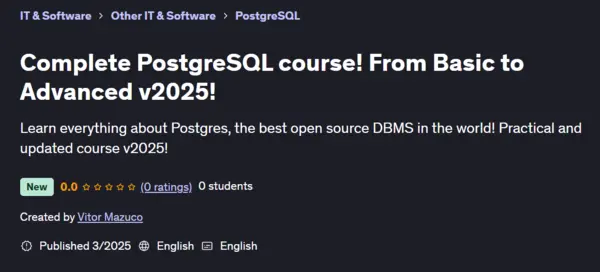
Udemy - Complete PostgreSQL course! From Basic to Advanced v2025!

dkmdkm

U P L O A D E R
7520e1a9ba94cf9c94e8cf16d2160f7e.webp

Free Download Udemy - Complete PostgreSQL course! From Basic to Advanced v2025!
Published: 3/2025
Created by: Vitor Mazuco
MP4 | Video: h264, 1280x720 | Audio: AAC, 44.1 KHz, 2 Ch
Level: All | Genre: eLearning | Language: English | Duration: 58 Lectures ( 10h 11m ) | Size: 3.69 GB

Learn everything about Postgres, the best open source DBMS in the world! Practical and updated course v2025!
What you'll learn
Know and learn more about the PostgreSQL database
Using pgAdmin
Database administration
Backup and Restore
Requirements
Solid knowledge of Linux Ubuntu or RHEL/Rocky Linux
Knowledge of Python and SQL and programming logic is desirable.
Description
Launched in 1996, PostgreSQL is an open-source DBMS maintained by the "PostgreSQL Global Development Group".As it is open-source and completely free, PostgreSQL is widely used in companies around the world.It is recommended that anyone who wants to invest in creating small to large systems use and apply the PostgreSQL database.Some of the main features are:Foreign keys;More complex searches;Robust and high-quality software with maintainable and well-commented codeMultiversion concurrency management;Transactional integrity;Performance, security and high availabilityHigh accessibility;Support for the hybrid object-relational model.Views;Triggers;Text indexing;Structured programming language in different languages for stored procedures, such as pgSQL, Python, Java, Perl, C, etc.; PostGIS data storage system, for Geographic Information System.And it can be expanded by any user, gaining new tools such as: procedural languages, data types; functions; operators; aggregation functions; index methods, among others.Because of its less restrictive license, this DBMS can be used, modified and distributed by any company and for any purpose (commercial, academic, personal) without having to pay any type of license or any other remuneration.What surprises many people is that the PostgreSQL feature set is more comparable to that of Oracle Database or SQL Server than to MySQL or MariaDB itself.The only connection between MySQL/MariaDB and PostgreSQL is that these two projects are open source;In addition, the characteristics and philosophies of use are almost completely different.In the early days, when PostgreSQL was still a research database, the focus was exclusively on new features.But over the past few years, huge amounts of code have been rewritten and improved, and extensions have been provided to database administrators, more stable server software, and high availability for commercial use.Music by: Symbolism Electro-Light
Who this course is for
Students who wanted to know more about PostgreSQL database
DBAs who want to know more about Postgres and its functions
Homepage:
Code:
Bitte Anmelden oder Registrieren um Code Inhalt zu sehen!

Recommend Download Link Hight Speed | Please Say Thanks Keep Topic Live
Code:
Bitte Anmelden oder Registrieren um Code Inhalt zu sehen!

No Password - Links are Interchangeable
 
Kommentar

2fd7897f2c52b88788a6773a60adecdf.jpg

Complete PostgreSQL course! From Basic to Advanced v2025!
Published 3/2025
MP4 | Video: h264, 1280x720 | Audio: AAC, 44.1 KHz, 2 Ch
Language: English | Duration: 10h 11m | Size: 3.69 GB​

Learn everything about Postgres, the best open source DBMS in the world! Practical and updated course v2025!

What you'll learn
Know and learn more about the PostgreSQL database
Using pgAdmin
Database administration
Backup and Restore

Requirements
Solid knowledge of Linux Ubuntu or RHEL/Rocky Linux
Knowledge of Python and SQL and programming logic is desirable.

Description
Launched in 1996, PostgreSQL is an open-source DBMS maintained by the "PostgreSQL Global Development Group".As it is open-source and completely free, PostgreSQL is widely used in companies around the world.It is recommended that anyone who wants to invest in creating small to large systems use and apply the PostgreSQL database.Some of the main features are:Foreign keys;More complex searches;Robust and high-quality software with maintainable and well-commented codeMultiversion concurrency management;Transactional integrity;Performance, security and high availabilityHigh accessibility;Support for the hybrid object-relational model.Views;Triggers;Text indexing;Structured programming language in different languages for stored procedures, such as pgSQL, Python, Java, Perl, C, etc.; PostGIS data storage system, for Geographic Information System.And it can be expanded by any user, gaining new tools such as: procedural languages, data types; functions; operators; aggregation functions; index methods, among others.Because of its less restrictive license, this DBMS can be used, modified and distributed by any company and for any purpose (commercial, academic, personal) without having to pay any type of license or any other remuneration.What surprises many people is that the PostgreSQL feature set is more comparable to that of Oracle Database or SQL Server than to MySQL or MariaDB itself.The only connection between MySQL/MariaDB and PostgreSQL is that these two projects are open source;In addition, the characteristics and philosophies of use are almost completely different.In the early days, when PostgreSQL was still a research database, the focus was exclusively on new features.But over the past few years, huge amounts of code have been rewritten and improved, and extensions have been provided to database administrators, more stable server software, and high availability for commercial use.Music by: Symbolism Electro-Light

Who this course is for
Students who wanted to know more about PostgreSQL database
DBAs who want to know more about Postgres and its functions

qKscISCF_o.jpg


AusFile
Code:
Bitte Anmelden oder Registrieren um Code Inhalt zu sehen!
Code:
Bitte Anmelden oder Registrieren um Code Inhalt zu sehen!
RapidGator
Code:
Bitte Anmelden oder Registrieren um Code Inhalt zu sehen!
Code:
Bitte Anmelden oder Registrieren um Code Inhalt zu sehen!
 
Kommentar
537368816_que-es-udemy-analisis-opiniones.jpg

9.91 GB | 34min 38s | mp4 | 1280X720 | 16:9
Genre:eLearning |Language:English


Files Included :
1 -Installing VirtualBox.mp4 (49.48 MB)
2 -Installing Rocky Linux 9.mp4 (108.89 MB)
3 -Using SSH via PowerShell on Windows.mp4 (59.09 MB)
1 -Installing PostgreSQL on Rocky Linux.mp4 (103.59 MB)
2 -Installing PostgreSQL on Windows.mp4 (57.72 MB)
3 -Using pgAdmin.mp4 (87.62 MB)
4 -The psql command.mp4 (42.28 MB)
5 -Main psql commands.mp4 (65.73 MB)
6 -PostgreSQL Process Architecture.mp4 (83.84 MB)
1 -Configuration Files.mp4 (107.56 MB)
2 -Managing connections.mp4 (32 MB)
3 -Understanding Roles.mp4 (69.04 MB)
4 -Creating a database.mp4 (32.4 MB)
5 -Using Schemas.mp4 (68.91 MB)
6 -Privileges.mp4 (88.79 MB)
7 -Managing disk storage with Tablespaces.mp4 (44.75 MB)
8 -Using the ALTER SYSTEM command.mp4 (128.1 MB)
9 -Updating PostgreSQL versions.mp4 (122.78 MB)
10 -Multiple Postgres instances on the same host.mp4 (95.39 MB)
1 -Tables.mp4 (100.94 MB)
2 -Managing temporary tables and EXISTS.mp4 (41.7 MB)
3 -Unlogged and TYPE OF Tables.mp4 (57.59 MB)
4 -Inserting and selecting data.mp4 (65.6 MB)
5 -NULL Values.mp4 (33.43 MB)
6 -Updating and removing data.mp4 (47.81 MB)
7 -Auto Increment with Serial.mp4 (82.44 MB)
8 -Sequences.mp4 (93.99 MB)
1 -Visions.mp4 (90.99 MB)
2 -Drop View.mp4 (57.57 MB)
3 -Updatable Views.mp4 (92.77 MB)
4 -Materialized Views.mp4 (77.74 MB)
5 -Recursive View.mp4 (97.3 MB)
1 -Using the LIKE clause.mp4 (35.94 MB)
2 -Using DISTINCT.mp4 (35.08 MB)
3 -Using limit and offset.mp4 (16.99 MB)
4 -IN-NOT IN and EXISTS-NOT EXISTS subqueries.mp4 (92.54 MB)
5 -JOIN Commands.mp4 (71.78 MB)
6 -LEFT e RIGHT JOIN.mp4 (48.41 MB)
7 -FULL OUTER JOIN.mp4 (55.69 MB)
8 -CASE.mp4 (88 MB)
9 -COALESCE.mp4 (57.49 MB)
10 -NULLIF.mp4 (62.13 MB)
1 -Constraints.mp4 (27.35 MB)
2 -Constraints Check.mp4 (57.6 MB)
3 -UNIQUE Constraints.mp4 (48.99 MB)
4 -PRIMARY KEY Constraints.mp4 (43.91 MB)
5 -FOREIGN KEY Constraints.mp4 (76.2 MB)
6 -GENERATED AS IDENTITY.mp4 (86.47 MB)
1 -CREATE INDEX.mp4 (74.29 MB)
2 -List and DROP Index.mp4 (73.81 MB)
3 -UNIQUE Index.mp4 (49.62 MB)
4 -Indexes on Expressions.mp4 (55.14 MB)
5 -Partial Index.mp4 (45.26 MB)
6 -Multicolumn Indexes.mp4 (51.81 MB)
7 -Creating a fuzzy search with pg trgm.mp4 (41.8 MB)
8 -Understanding the EXPLAIN command.mp4 (32.88 MB)
9 -EXPLAIN ANALYZE.mp4 (34.4 MB)
10 -HypoPG Index.mp4 (97.62 MB)
11 -Table Partitioning.mp4 (21.38 MB)
12 -Interval Partitioning.mp4 (56.86 MB)
13 -Partitioning by lists and hashes.mp4 (71.19 MB)
1 -High availability with repmgr.mp4 (23.39 MB)
2 -First installations and configurations.mp4 (99.2 MB)
3 -Master Server Configuration.mp4 (75.9 MB)
4 -Standby Server Configuration.mp4 (105.24 MB)
5 -Witness Server Configuration.mp4 (76.85 MB)
6 -Changing the Primary Server.mp4 (94.13 MB)
1 -Working with Transactions.mp4 (62.29 MB)
2 -Working with SAVEPOINT and DDLs.mp4 (48.04 MB)
3 -Understanding the basics of blocking.mp4 (124.69 MB)
4 -Using FOR SHARE and FOR UPDATE.mp4 (114.42 MB)
5 -Understanding transaction isolation levels.mp4 (77.86 MB)
6 -Studying deadlocks and similar problems.mp4 (48.98 MB)
7 -VACUUM Theory.mp4 (104.45 MB)
8 -Running VACUUM in practice.mp4 (29.79 MB)
1 -Working with PL-pgSQL.mp4 (35.65 MB)
2 -Managing scopes.mp4 (61.55 MB)
3 -Working with Cursor.mp4 (40.44 MB)
4 -Working with composite types.mp4 (10.99 MB)
5 -Working with triggers.mp4 (80.89 MB)
6 -Working with PL-Perl.mp4 (50.53 MB)
7 -Working with SPI.mp4 (47.83 MB)
8 -Working with PL-Python.mp4 (76.25 MB)
9 -Working with PROCEDURE.mp4 (47.88 MB)
10 -Working with Drop Procedure.mp4 (26.88 MB)
1 -Setup Presentation.mp4 (35.44 MB)
2 -HAProxy Settings.mp4 (126.3 MB)
3 -Installing PgBouncer.mp4 (90.45 MB)
1 -Presentation of the HA scenario.mp4 (41.71 MB)
2 -Initial database configurations.mp4 (69.36 MB)
3 -Configuring the etcd server.mp4 (140.49 MB)
4 -Installing haproxy.mp4 (83.66 MB)
5 -Configuring the patroni server.mp4 (194.53 MB)
6 -Performing failover and recovery tests.mp4 (68.3 MB)
7 -Setting up HA Zabbix.mp4 (188.36 MB)
1 -Dealing with GROUPING SETS.mp4 (107.19 MB)
2 -Aggregate functions of ordered sets.mp4 (62.89 MB)
3 -Working with Window Functions.mp4 (78.54 MB)
4 -Studying Windows Functions clauses.mp4 (52.31 MB)
5 -Studying the lead() and lag() functions.mp4 (32.23 MB)
6 -Studying the value() and row number() functions.mp4 (35.37 MB)
7 -Creating your own function with CREATE AGGREGATE.mp4 (82.71 MB)
8 -Working with WITH ORDINALITY.mp4 (31.84 MB)
1 -Introduction to Citus.mp4 (83.14 MB)
2 -Initial database configurations.mp4 (69.79 MB)
3 -Configuring the etcd server.mp4 (156.57 MB)
4 -Configuring the patroni server.mp4 (216.82 MB)
5 -Installing haproxy.mp4 (26.17 MB)
6 -Performing basic performance tests.mp4 (84.78 MB)
1 -Using the adminpack module.mp4 (67.48 MB)
2 -Using the bloom module.mp4 (44.6 MB)
3 -Using the btree gist and btree gin extensions.mp4 (14.98 MB)
4 -Searching for files with file fdw.mp4 (28.95 MB)
5 -Inspecting storage using pageinspect.mp4 (33.27 MB)
6 -Checking the Cache with pg buffercache.mp4 (32.14 MB)
7 -Inspecting storage with pgstattuple.mp4 (31.08 MB)
8 -PostgreSQL Anonymizer.mp4 (155.27 MB)
9 -Accessing another PostgreSQL server with postgres fdw.mp4 (139.45 MB)
10 -Accessing a MySQL server with mysql fdw.mp4 (145.34 MB)
11 -Accessing PostgreSQL through LibreOffice.mp4 (108.22 MB)
12 -Using TimescaleDB.mp4 (168.15 MB)
13 -Protecting data with pgcrypto.mp4 (104.78 MB)
1 -Monitoring PostgreSQL with Zabbix.mp4 (171.9 MB)
2 -Log analysis with pgbadger.mp4 (232.09 MB)
3 -Monitoring with Prometheus and Grafana.mp4 (192.8 MB)
4 -Monitoring with Prometheus and Grafana part 2.mp4 (94.69 MB)
5 -Monitoring PostgreSQL security with Wazuh.mp4 (184.09 MB)
1 -Configure Syslog and journald.mp4 (156.48 MB)
2 -Installing PG-Audit.mp4 (146.31 MB)
3 -Monitoring with Graylog.mp4 (177.13 MB)
]
Screenshot
BcdUrg6Z_o.jpg


RapidGator
Code:
Bitte Anmelden oder Registrieren um Code Inhalt zu sehen!
NitroFlare
Code:
Bitte Anmelden oder Registrieren um Code Inhalt zu sehen!
DDownload
Code:
Bitte Anmelden oder Registrieren um Code Inhalt zu sehen!
 
Kommentar

In der Börse ist nur das Erstellen von Download-Angeboten erlaubt! Ignorierst du das, wird dein Beitrag ohne Vorwarnung gelöscht. Ein Eintrag ist offline? Dann nutze bitte den Link  Offline melden . Möchtest du stattdessen etwas zu einem Download schreiben, dann nutze den Link  Kommentieren . Beide Links findest du immer unter jedem Eintrag/Download.

Data-Load.me | Data-Load.ing | Data-Load.to | Data-Load.in

Auf Data-Load.me findest du Links zu kostenlosen Downloads für Filme, Serien, Dokumentationen, Anime, Animation & Zeichentrick, Audio / Musik, Software und Dokumente / Ebooks / Zeitschriften. Wir sind deine Boerse für kostenlose Downloads!

Ist Data-Load legal?

Data-Load ist nicht illegal. Es werden keine zum Download angebotene Inhalte auf den Servern von Data-Load gespeichert.
Oben Unten