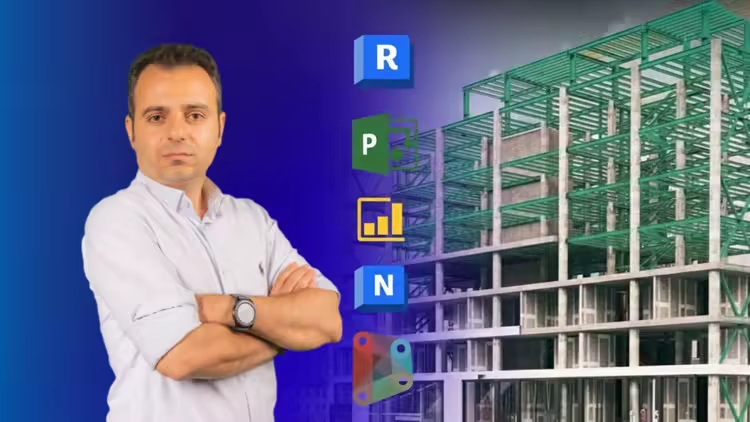
BIM Coordinator 2026 Clash Detection, 4D, 5D, Power BI, AI

dkmdkm

U P L O A D E R
73b48ae7657abce16f3549ef6fcfe9c3.avif

Free Download BIM Coordinator 2026 Clash Detection, 4D, 5D, Power BI, AI
Published 11/2025
MP4 | Video: h264, 1280x720 | Audio: AAC, 44.1 KHz, 2 Ch
Language: English | Duration: 1h 30m | Size: 678 MB
Model Integration, CDE & BEP Essentials, Revit QC, Dynamo Automation, Navisworks Sequencing, Manage BIM Modelers

What you'll learn
BIM Coordinator BEP & CDE Workflow - complete interpretation of project requirements and setup of structured coordination environments
BIM Federated Model Integration in Navisworks - expert workflow for combining multi-discipline models with correct shared coordinates
BIM Clash Detection Strategies - advanced filtering techniques for noise-free, constructible issue identification
BIM Coordinator Issue Management Cycle - professional grouping, assignment, and full follow-up for clash resolution
BIM Model Health Analysis in Revit - high-detail evaluation of warnings, data accuracy, and performance metrics
BIM Dynamo Automation for QC in Revit - visual scripting for naming-standard checks and essential quality-control tasks
BIM Construction Sequencing in Navisworks Timeliner - complete setup of timeline logic, auto-matching rules, and simulation analysis
BIM Reporting Dashboards in Power BI - executive-level visualization for design velocity, priorities, and coordination insights
BIM Action Log Data Preparation - clean structuring of coordination data for accurate reporting and tracking
BIM Coordination Meeting Skills - professional communication, presentation techniques, and structured follow-up practices
AI-Enhanced BIM Tasks - automation of BEP summaries, emails, and reporting workflows using advanced AI tools
BIM Coordinator Career Path Planning - strategic roadmap for progressing toward BIM Manager responsibilities
Requirements
Basic Knowledge about BIM
Laptop or PC with Required Software Installed (Revit, Navisworks, Dynamo, and Power BI)
Description
Note: This is not a typical BIM or Navisworks course that only teaches software buttons. Instead, you will walk through a real project-based workflow-from BEP analysis and CDE setup to clash management, 4D simulation, Power BI reporting, Dynamo automation, and AI-driven tasks-exactly the way a modern BIM Coordinator works inside a real construction project.Have you ever wondered what separates a basic software user from a BIM Coordinator who can confidently lead multi-discipline coordination in real projects?Do you want to understand how Federated Models, model health, clash strategies, and 4D sequencing directly impact construction quality, decision-making, and workflow clarity?Are you trying to learn what skills-beyond just Navisworks or Revit-you actually need to land your first BIM Coordinator role in the global market?In this course, you will learn a complete, end-to-end workflow used by professional coordinators in real AEC projects. From reading the BIM Execution Plan (BEP) and structuring the Common Data Environment (CDE) to building the Federated Model, running clean Clash Detection, automating Model QC in Revit with Dynamo, creating 4D simulations in Navisworks Timeliner, and visualizing decisions with Power BI dashboards, every step is designed to feel real and industry-relevant.Throughout the training, the instructor shares practical coordination insights, meeting strategies, and AI-enhanced workflows used in modern BIM teams-giving you both technical and communication skills needed for job-readiness.What You Will Learn:BIM Coordinator BEP & CDE Workflow - complete interpretation of project requirements and setup of structured coordination environmentsBIM Federated Model Integration in Navisworks - expert workflow for combining multi-discipline models with correct shared coordinatesBIM Clash Detection Strategies - advanced filtering techniques for noise-free, constructible issue identificationBIM Coordinator Issue Management Cycle - professional grouping, assignment, and full follow-up for clash resolutionBIM Model Health Analysis in Revit - high-detail evaluation of warnings, data accuracy, and performance metricsBIM Dynamo Automation for QC in Revit - visual scripting for naming-standard checks and essential quality-control tasksBIM Construction Sequencing in Navisworks Timeliner - complete setup of timeline logic, auto-matching rules, and simulation analysisBIM Reporting Dashboards in Power BI - executive-level visualization for design velocity, priorities, and coordination insightsBIM Action Log Data Preparation - clean structuring of coordination data for accurate reporting and trackingBIM Coordination Meeting Skills - professional communication, presentation techniques, and structured follow-up practicesAI-Enhanced BIM Tasks - automation of BEP summaries, emails, and reporting workflows using advanced AI toolsBIM Coordinator Career Path Planning - strategic roadmap for progressing toward BIM Manager responsibilitiesIf you want to start your BIM journey the right way, now is the perfect time. Enroll in this course today and gain the practical, real-world coordination workflow that employers actually look for.If you have any questions during the course, feel free to ask. I offer 24/7 support and will answer every question to help you move faster and learn more effectively. Your progress matters-so don't hesitate to ask anything you need.
Who this course is for
BIM Coordinator
BIM Modeler
BIM Specialist
BIM Manager
Revit Modeler (Architecture / Structure / MEP)
Revit Users
Navisworks Users
Dynamo Users
Navisworks Coordinator
Clash Detection Engineer
BIM Technician
BIM Engineer
VDC Engineer
Project Engineer (AEC)
Architectural Designer
Structural Designer
MEP Designer
Mechanical Engineer
Electrical Engineer
Plumbing Engineer
Construction Engineer
Design Coordinator
Project BIM Intern
Junior BIM Coordinator
QA/QC Engineer (BIM-Focused)
Homepage
Code:
Bitte Anmelden oder Registrieren um Code Inhalt zu sehen!

Recommend Download Link Hight Speed | Please Say Thanks Keep Topic Live
Code:
Bitte Anmelden oder Registrieren um Code Inhalt zu sehen!

No Password - Links are Interchangeable
 
Kommentar

0d5720cee0fb974f2475b84985d5a78d.jpg

BIM Coordinator 2026: Clash Detection, 4D, 5D, Power BI, AI
Published 11/2025
Duration: 1h 31m | .MP4 1920x1080 30fps(r) | AAC, 44100Hz, 2ch | 779.02 MB
Genre: eLearning | Language: English​

Model Integration, CDE & BEP Essentials, Revit QC, Dynamo Automation, Navisworks Sequencing, Manage BIM Modelers

What you'll learn
- BIM Coordinator BEP & CDE Workflow - complete interpretation of project requirements and setup of structured coordination environments
- BIM Federated Model Integration in Navisworks - expert workflow for combining multi-discipline models with correct shared coordinates
- BIM Clash Detection Strategies - advanced filtering techniques for noise-free, constructible issue identification
- BIM Coordinator Issue Management Cycle - professional grouping, assignment, and full follow-up for clash resolution
- BIM Model Health Analysis in Revit - high-detail evaluation of warnings, data accuracy, and performance metrics
- BIM Dynamo Automation for QC in Revit - visual scripting for naming-standard checks and essential quality-control tasks
- BIM Construction Sequencing in Navisworks Timeliner - complete setup of timeline logic, auto-matching rules, and simulation analysis
- BIM Reporting Dashboards in Power BI - executive-level visualization for design velocity, priorities, and coordination insights
- BIM Action Log Data Preparation - clean structuring of coordination data for accurate reporting and tracking
- BIM Coordination Meeting Skills - professional communication, presentation techniques, and structured follow-up practices
- AI-Enhanced BIM Tasks - automation of BEP summaries, emails, and reporting workflows using advanced AI tools
- BIM Coordinator Career Path Planning - strategic roadmap for progressing toward BIM Manager responsibilities

Requirements
- Basic Knowledge about BIM
- Laptop or PC with Required Software Installed (Revit, Navisworks, Dynamo, and Power BI)

Description
Note:This is not a typical BIM or Navisworks course that only teaches software buttons. Instead, you will walk through a real project-based workflow-from BEP analysis and CDE setup to clash management, 4D simulation, Power BI reporting, Dynamo automation, and AI-driven tasks-exactly the way a modern BIM Coordinator works inside a real construction project.

Have you ever wondered what separates a basic software user from aBIM Coordinatorwho can confidently lead multi-discipline coordination in real projects?

Do you want to understand howFederated Models, model health, clash strategies, and 4D sequencing directly impact construction quality, decision-making, and workflow clarity?

Are you trying to learn what skills-beyond just Navisworks or Revit-you actually need to land your firstBIM Coordinatorrole in the global market?

In this course, you will learn a complete, end-to-end workflow used by professional coordinators in real AEC projects. From reading theBIM Execution Plan (BEP)and structuring theCommon Data Environment (CDE)to building theFederated Model, running cleanClash Detection, automatingModel QCin Revit with Dynamo, creating 4D simulations in Navisworks Timeliner, and visualizing decisions with Power BI dashboards, every step is designed to feel real and industry-relevant.

Throughout the training, the instructor shares practical coordination insights, meeting strategies, andAI-enhancedworkflows used in modern BIM teams-giving you both technical and communication skills needed for job-readiness.

What You Will Learn:

BIM Coordinator BEP & CDE Workflow- complete interpretation of project requirements and setup of structured coordination environments

BIM Federated Model Integration in Navisworks- expert workflow for combining multi-discipline models with correct shared coordinates

BIM Clash Detection Strategies- advanced filtering techniques for noise-free, constructible issue identification

BIM Coordinator Issue Management Cycle- professional grouping, assignment, and full follow-up for clash resolution

BIM Model Health Analysis in Revit- high-detail evaluation of warnings, data accuracy, and performance metrics

BIM Dynamo Automation for QC in Revit- visual scripting for naming-standard checks and essential quality-control tasks

BIM Construction Sequencing in Navisworks Timeliner- complete setup of timeline logic, auto-matching rules, and simulation analysis

BIM Reporting Dashboards in Power BI- executive-level visualization for design velocity, priorities, and coordination insights

BIM Action Log Data Preparation- clean structuring of coordination data for accurate reporting and tracking

BIM Coordination Meeting Skills- professional communication, presentation techniques, and structured follow-up practices

AI-Enhanced BIM Tasks- automation of BEP summaries, emails, and reporting workflows using advanced AI tools

BIM Coordinator Career Path Planning- strategic roadmap for progressing toward BIM Manager responsibilities

If you want to start your BIM journey the right way, now is the perfect time.Enroll in this course todayand gain the practical, real-world coordination workflow that employers actually look for.

If you have any questions during the course, feel free to ask. I offer24/7 supportand will answer every question to help you move faster and learn more effectively. Your progress matters-so don't hesitate toask anything you need.

Who this course is for:
- BIM Coordinator
- BIM Modeler
- BIM Specialist
- BIM Manager
- Revit Modeler (Architecture / Structure / MEP)
- Revit Users
- Navisworks Users
- Dynamo Users
- Navisworks Coordinator
- Clash Detection Engineer
- BIM Technician
- BIM Engineer
- VDC Engineer
- Project Engineer (AEC)
- Architectural Designer
- Structural Designer
- MEP Designer
- Mechanical Engineer
- Electrical Engineer
- Plumbing Engineer
- Construction Engineer
- Design Coordinator
- Project BIM Intern
- Junior BIM Coordinator
- QA/QC Engineer (BIM-Focused)
Bitte Anmelden oder Registrieren um Links zu sehen.


1ayMvT1g_o.jpg


RapidGator
Code:
Bitte Anmelden oder Registrieren um Code Inhalt zu sehen!
NitroFlare
Code:
Bitte Anmelden oder Registrieren um Code Inhalt zu sehen!
DDownload
Code:
Bitte Anmelden oder Registrieren um Code Inhalt zu sehen!
 
Kommentar

In der Börse ist nur das Erstellen von Download-Angeboten erlaubt! Ignorierst du das, wird dein Beitrag ohne Vorwarnung gelöscht. Ein Eintrag ist offline? Dann nutze bitte den Link  Offline melden . Möchtest du stattdessen etwas zu einem Download schreiben, dann nutze den Link  Kommentieren . Beide Links findest du immer unter jedem Eintrag/Download.

Data-Load.me | Data-Load.ing | Data-Load.to | Data-Load.in

Auf Data-Load.me findest du Links zu kostenlosen Downloads für Filme, Serien, Dokumentationen, Anime, Animation & Zeichentrick, Audio / Musik, Software und Dokumente / Ebooks / Zeitschriften. Wir sind deine Boerse für kostenlose Downloads!

Ist Data-Load legal?

Data-Load ist nicht illegal. Es werden keine zum Download angebotene Inhalte auf den Servern von Data-Load gespeichert.
Oben Unten