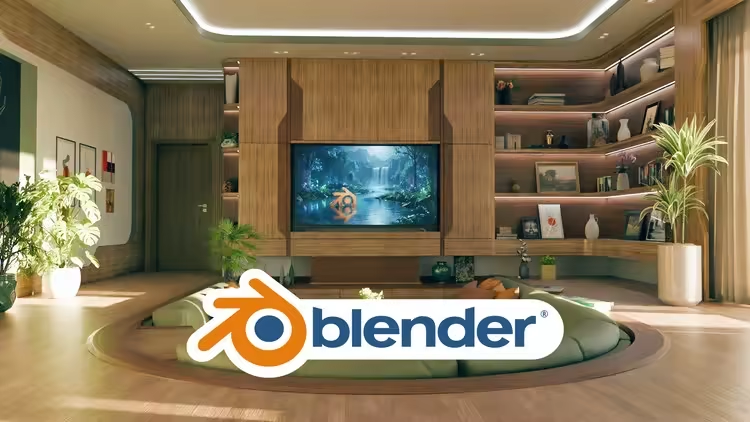
Free Download AI-Powered Interior Design in Blender 5
Published 1/2026
MP4 | Video: h264, 1920x1080 | Audio: AAC, 44.1 KHz, 2 Ch
Language: English | Duration: 12h 42m | Size: 20.7 GB
Master interior design with AI visualization, Blender modeling, realistic lighting, and photorealistic rendering
What you'll learn
Create professional interior designs in Blender from scratch using AI-assisted workflow
Use AI tools like Nanobana to visualize design concepts before modeling
Model custom interior elements like walls, stairs, TV feature walls, and architectural details
Combine BlenderKit assets with custom modeling, apply materials, and create photorealistic renders
Requirements
Basic knowledge of Blender interface and navigation. Familiarity with viewport controls, object selection, and basic modeling tools."
Description
Transform Your Interior Design Ideas into Stunning 3D VisualizationsWelcome to AI-Powered Interior Design in Blender 5 - a comprehensive course that teaches you a modern, efficient workflow for creating professional interior design visualizations.What Makes This Course Different?This course introduces a revolutionary approach to interior design in Blender by integrating AI tools into your workflow. Instead of spending hours guessing how your design will look, you'll learn to use AI visualization tools like Nanobana to preview and refine your concepts before diving into detailed modeling.What You'll Learn:Set up Blender for interior design projects with optimal settingsUse AI tools to visualize design concepts and iterate quicklyModel essential architectural elements including walls, stairs, and custom featuresImport and customize furniture and assets from BlenderKitCreate custom interior elements like TV feature walls, kitchen units, and built-in storageApply realistic materials and textures to your designsSet up professional lighting for both daytime and nighttime scenesCreate stunning volumetric lighting effects with sunbeamsMaster camera setup and depth of field for cinematic rendersStyle your interiors with decorative objects, plants, and accessoriesRender photorealistic scenes using CyclesEnhance your renders with post-processing techniquesCourse Project:Throughout this course, you'll build a complete modern interior space from scratch, including:Open-plan living area with sunken U-shaped seatingContemporary kitchen with island and under-stair storageDining area with custom lightingTV feature wall with integrated shelvingStaircase with modern railingMultiple camera angles and lighting scenariosWho Is This Course For?Blender users who want to learn interior design visualizationInterior designers looking to create 3D presentations of their projectsArchitecture students wanting to showcase their concepts with photorealistic renders3D artists expanding into architectural visualizationAnyone interested in modern AI-assisted design workflowsRequirements:Basic knowledge of Blender interface and navigationFamiliarity with viewport controls and basic modeling toolsA computer capable of running Blender smoothlyWhy Learn Interior Design Visualization?Interior design visualization is a highly sought-after skill in architecture, real estate, and design industries. Whether you're looking to present your own design ideas, offer freelance services, or enhance your portfolio, this course gives you the tools and techniques to create professional-quality interior renders.Start your journey in modern interior design visualization and bring your creative ideas to life in 3D.
Who this course is for
Blender users who want to learn interior design visualization using AI-assisted workflow
Interior designers interested in creating 3D visualizations of their projects in Blender
Architecture students looking to present their interior design concepts with photorealistic renders
3D artists who want to expand their skills into architectural visualization and interior design
Homepage
Code:
Bitte
Anmelden
oder
Registrieren
um Code Inhalt zu sehen!
Recommend Download Link Hight Speed | Please Say Thanks Keep Topic Live
Code:
Bitte
Anmelden
oder
Registrieren
um Code Inhalt zu sehen!
